Posts: 229
Threads: 69
Likes Received: 734 in 186 posts
Likes Given: 36
Joined: Jun 2020
Posts: 27
Threads: 3
Likes Received: 43 in 15 posts
Likes Given: 25
Joined: May 2019
![[+]](https://slotracer.online/community/images/bootbb/collapse_collapsed.png) •
•
Posts: 4,528
Threads: 147
Likes Received: 3,066 in 1,819 posts
Likes Given: 4,215
Joined: Apr 2019
Location Isle of Man
Here you go Steve, Doug's photo...
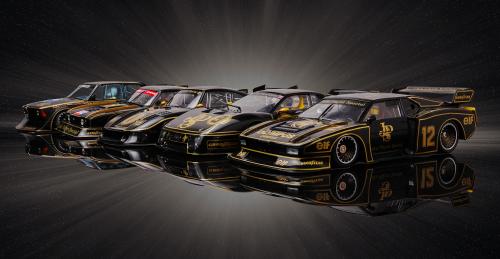
Life is like a box of Slot cars...


Posts: 27
Threads: 3
Likes Received: 43 in 15 posts
Likes Given: 25
Joined: May 2019
Thanks Kevan,
Doug’s pictures are always great, but not sure why they don’t show.
•
Posts: 7
Threads: 1
Likes Received: 6 in 3 posts
Likes Given: 1
Joined: Oct 2026
It's hosted on imgur and that website has been blocked in the UK .. (assuming that's where you are)
•
Posts: 229
Threads: 69
Likes Received: 734 in 186 posts
Likes Given: 36
Joined: Jun 2020
I've tried to copy, cut and paste from Photoshop, but the image becomes so small that nobody could see it. Imgur seems to be the only way to get a viewable image here. Not being very technical probably limits my problem solving!!!

•
Posts: 281
Threads: 6
Likes Received: 352 in 149 posts
Likes Given: 196
Joined: Jul 2020
What's the resolution of the image in PS?
Naturally it'll be larger or smaller on peoples screens depending on their monitors resolution settings. For example my resolution is set at 5120x2160 - 2160 being the more important number. That means if an image has a resolution of x by 1080 then the height will only fill half of the height of my screen, unless I zoom into it.
•
Posts: 229
Threads: 69
Likes Received: 734 in 186 posts
Likes Given: 36
Joined: Jun 2020
I've knock the resolution down to 72dpi, and it tells me that 2"x1.5" is still too big...it says the limit is about 6500 kb. 2"x1.5" is 12500 kb.
•
![[Image: xpZq9RC.jpg]](https://i.imgur.com/xpZq9RC.jpg)



